
Every project
Resource packs: 20. Data packs: 14. Modpacks: at least 20. Mods: over 200. Bedrock add-ons: over 20. Skin packs: 2. Java 1.20.1 and Bedrock 1.21. All downloads free.
Forge / Fabric / NeoForge support: 1.14.4 Forge, 1.16.5 Forge, 1.18.2 Forge, 1.19.2 Forge, 1.19.4 Forge, 1.20.1 Forge / Fabric, 1.20.2 Forge, 1.20.4 Forge, 1.21.1 NeoForge, 26.1.2 Fabric / NeoForge, 26.2 Fabric / NeoForge, and 26.3 Fabric / NeoForge.



Install in steps
1. Pick your download
Choose the file that matches your edition and your game version.
2. Java Edition
Install Fabric or Forge, then drop the .jar file into your mods folder.
3. Bedrock Edition
Open the .mcaddon file and let the game import it automatically.
4. Enable it
Switch on the pack or behaviour pack in your world settings.
5. Resource packs
Move the pack to the top of your active list so it takes priority.
6. Launch and check
Start the game, check the version string and report anything broken.
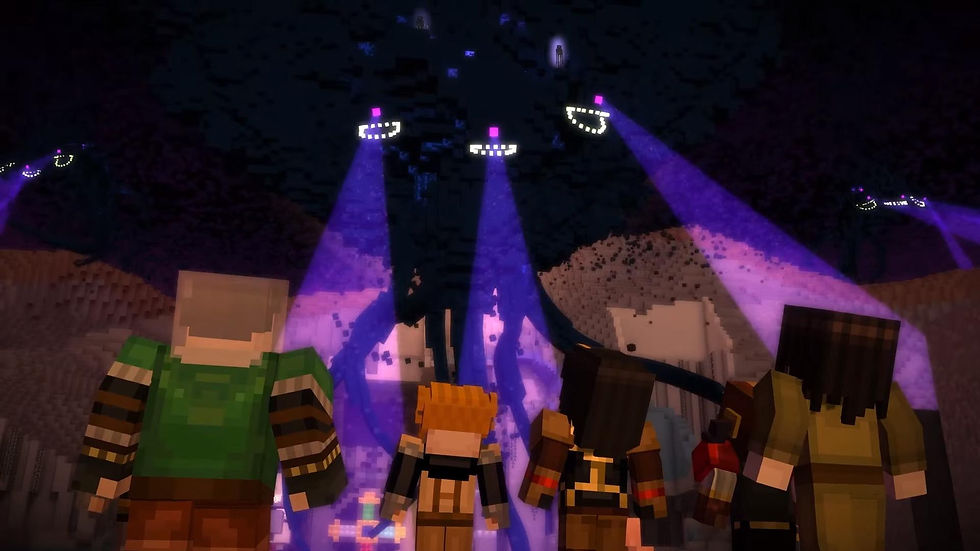
Supported Minecraft versions and loaders: 1.14.4 (Forge), 1.16.5 (Forge), 1.18.2 (Forge), 1.19.2 (Forge), 1.19.4 (Forge), 1.20.1 (Forge / Fabric), 1.20.2 (Forge), 1.20.4 (Forge), 1.21.1 (NeoForge), 26.1.2 (Fabric / NeoForge), 26.2 (Fabric / NeoForge), and 26.3 (Fabric / NeoForge).
All downloads free on CurseForge, Modrinth and Planet Minecraft.
Questions, answered
Which Minecraft versions and mod loaders are supported?
Supported: 1.14.4 Forge, 1.16.5 Forge, 1.18.2 Forge, 1.19.2 Forge, 1.19.4 Forge, 1.20.1 Forge / Fabric, 1.20.2 Forge, 1.20.4 Forge, 1.21.1 NeoForge, 26.1.2 Fabric / NeoForge, 26.2 Fabric / NeoForge, and 26.3 Fabric / NeoForge. Each project page lists the exact build it was tested on.
Do older snapshots or unsupported versions work?
The supported versions are 1.14.4, 1.16.5, 1.18.2, 1.19.2, 1.19.4, 1.20.1, 1.20.2, 1.20.4, 1.21.1, 26.1.2, 26.2, and 26.3, with the loaders listed above. Older snapshots are not tested or supported.
Can I use these mods in a modpack or video?
Yes. Modpacks, videos and streams are welcome. Please link back to the original project page so people can find the latest build.
Can I reupload the files elsewhere?
No. Please do not reupload the files. All downloads are free on CurseForge, Modrinth and Planet Minecraft, so share a link instead.
How do I report a bug or crash?
Open the project page and post your game version, the mod list and the crash log. A clear log lets me find the cause much faster.
Are the Java mods multiplayer safe?
Yes, the Java mods run on servers, but every player and the server need the same version installed to join without errors.
How often do new builds land?
Updates posted roughly every two weeks. Bigger changes take longer, and I post progress notes while they are in the works.
Do the Bedrock add-ons work on Realms and consoles?
Add-ons work in Bedrock worlds on Realms where custom packs are allowed. Console support depends on the platform and is not guaranteed.
Is this an official Minecraft or Story Mode product?
No. Not affiliated with, endorsed by, or associated with Mojang Studios or Microsoft. This is an independent fan project.
Can I use these in modpacks outside the three sites where you post?
No. You may use one of my CurseForge mods in a Modrinth modpack if it is not available on Modrinth, but please upload this FAQ to Modrinth so the staff can see it.
Will you be backporting any of your mods?
No. Whatever versions they are on, they will either stay on those versions or upgrade.
Will you keep making MCreator 2026.2 and 2024.4 plugins forever?
No. Once MCreator 2026.3 is out and I have a good plugin, I will delete those two from my computer. I will then only make standalone mods on Forge 26.3, while still making add-ons for Cracker’s Wither Storm mod on Forge 1.20.1 and 1.19.4, and NeoForge 1.21.1.
Can I use the textures you made yourself?
No. You may use textures that came from MIT-licensed mods or mods that gave permission, but those did not come from my mods to begin with. I prefer that you do not extract them from my mods.